A useful way through
- Define the issue’s purpose and the audience you are permitted to contact. Record where that permission or other applicable basis is managed under the rules relevant to your operation. Do not import a scraped or purchased address list simply because software accepts it.
- Prepare accurate sender details, subject and useful content. Keep links, image descriptions and a readable text version appropriate to the actual email. Confirm required business information and unsubscribe arrangements for the relevant jurisdiction and provider; a generic template cannot establish legal compliance everywhere.
- Send a test only to an authorised test address or preview environment. Check the rendered message on a phone and a larger screen, open the intended links and test the provider’s opt-out workflow safely. Verify that suppression is respected before considering a real campaign.
- Record the exact issue version, test observations and approval owner. Resolve failures before sending. Report only actual delivered, click or other measured events with their definitions; a draft, a sent count and a useful reader outcome are different things.
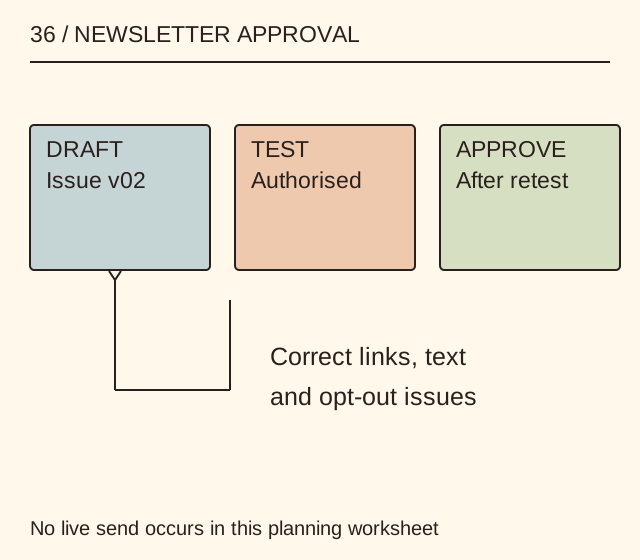
Read the map as text
36 / NEWSLETTER APPROVAL · DRAFT · Issue v02 · TEST · Authorised · APPROVE · After retest · Correct links, text · and opt-out issues · No live send occurs in this planning worksheet
- Audience
- Issue
- Test
- Approval
Put it into practice
A fictional studio issue links to a booklet guide. The test record finds that the button points to an old draft and the text version omits the current URL. Both are corrected, and the authorised test is repeated before approval. No real email is sent by this worksheet, and no open or conversion rate is invented.
Illustrative example, not a reported client project or test.
Your take-away checklist
Prepare a newsletter issue with a test-send approval record
- □ Audience: ____________________
- □ Issue: ____________________
- □ Test: ____________________
- □ Approval: ____________________
Before you act
This is a production checklist, not legal advice or permission to contact anyone. It does not connect an email service, upload addresses or send messages.
A completed example record
This is the illustrative case above. Download the blank version to record your own task.
- Audience
- Permission-managed subscriber groupActual basis and applicable rules checked
- Issue
- Booklet notes v02Subject, sender and content accurate
- Test
- Old draft link foundCorrect HTML and text versions
- Approval
- Retest + opt-out/suppression checkNo live send until responsible approval
Use a useful reason to send
A finished procedure, new resource or necessary correction gives the issue a concrete purpose. A software feature or a desire to send more messages does not supply value by itself.
Keep rules local to the real operation
The FTC’s guide explains US commercial-email requirements, including accurate identifying information and a functioning opt-out. Other jurisdictions can impose different permission and privacy requirements. Use the rules that actually apply rather than treating one source as worldwide authorisation.
Sources & context
The earlier page, Email Marketing Software And Its Importance, was published 2021-08-25 under the Maria Baldwin byline. This guide develops its subject into a new procedure and worked example by MichaelT.