A useful way through
- Record the symptom in the task you were doing: a call dropping, a page failing or a transfer stopping. Note time, device, location and whether other tasks were affected. Do not turn one slow website into proof that the whole provider network is down.
- Follow the provider’s ordinary troubleshooting instructions. Where the device and setup permit it, compare the same task over an appropriate wired connection and Wi-Fi. Ofcom explains that a slow Wi-Fi test does not necessarily establish a fault on the broadband line.
- If you run a normal speed test, record the tool, connection type, time and units. Keep download rate, upload rate and latency separate. Do not launch repeated high-volume traffic, change shared security settings or call a single result your guaranteed connection speed.
- Send support a small, readable sequence of observations with the affected configuration and actions already tried. Ask for the case reference and next step. Keep passwords, account secrets and unrelated browsing information out of screenshots and shared logs.
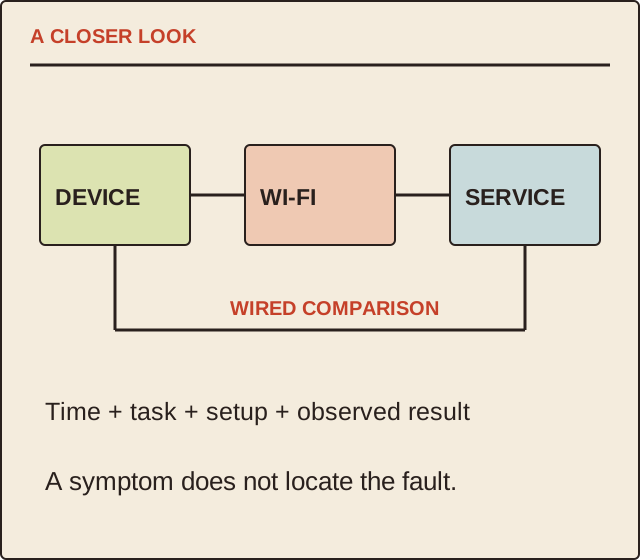
Read the map as text
A CLOSER LOOK · DEVICE · WI-FI · SERVICE · WIRED COMPARISON · Time + task + setup + observed result · A symptom does not locate the fault.
- Symptom
- Connection
- Comparison
- Handover
Put it into practice
In an illustrative diary, a laptop’s video call drops on Wi-Fi in the back room at 18:10. At 18:20 the same laptop completes the agreed support check near the router over a supported cable. The diary records those two observations; it does not prove the wall, router or provider caused the earlier failure. Support can choose the next discriminating check.
Illustrative example, not a reported client project or test.
Your take-away checklist
Keep a broadband fault diary that helps support investigate
- □ Symptom: ____________________
- □ Connection: ____________________
- □ Comparison: ____________________
- □ Handover: ____________________
Before you act
Follow your provider’s current guidance. This is a logging procedure, not a network intrusion test or a diagnosis of a real service.
A worked record
Start with the example, then keep your own observations and confirmed information in the blank record.
- Symptom
- Call dropped at 18:10Task and device, not a guessed cause
- Connection
- Wi-Fi; back roomRecord location and setup
- Comparison
- Supported wired check at 18:20Record actual result
- Handover
- Case reference and next actionShare a redacted short log
Use units consistently
A result in megabits per second is not a file-transfer rate in megabytes per second. Record exactly what the tool reports and avoid comparing unlike figures. A planned test row should remain blank until it is run; this page supplies no measurements from a real connection.
Preserve a useful baseline
Record any approved configuration change and its time so later observations can be interpreted. Avoid a factory reset or changes to business equipment without the owner’s agreement and provider instructions. The useful outcome is a clearer support conversation, not an invented promise of faster internet.
Sources & context
The earlier topic was published 2021-06-08 under the Maria Baldwin byline. The present procedure and illustrative record are by MichaelT.
Source information checked 17 October 2026. Use the current requirements relevant to your situation.