A useful way through
- Describe the actual symptom and when it occurs. Record the model, relevant accessories and any exact message you observed. Keep a private serial-number record where appropriate, but do not publish identifiers or credentials in an open worksheet. A symptom description is not a hardware diagnosis.
- Consult the current instructions for the exact service route. Back up needed data through an appropriate method and confirm what you can recover before handing over the only copy. Apple’s current Mac service guidance warns that storage may be erased or replaced; requirements vary by device and service.
- Agree the assessment scope, contact route and approval process before additional work. Follow the provider’s current device-preparation instructions through a secure route. Do not email passwords, publish recovery codes or apply generic security-disabling instructions to every device.
- On return, reconcile the device and accessories with the handover record. Read the service report and run the agreed safe, representative check of the original symptom. Record what was actually observed, any unresolved problem and the provider’s follow-up route. Receiving the device is not itself proof of repair.
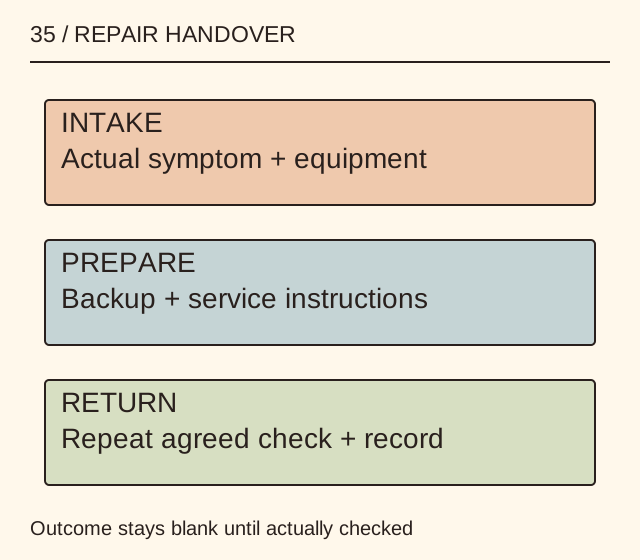
Read the map as text
35 / REPAIR HANDOVER · INTAKE · Actual symptom + equipment · PREPARE · Backup + service instructions · RETURN · Repeat agreed check + record · Outcome stays blank until actually checked
- Symptom
- Equipment
- Data
- Return
Put it into practice
A fictional laptop loses external-display output after waking. The record includes the actual display and cable used, a symptom sequence and a backup question. On return, the same representative sequence is checked where appropriate. The outcome remains blank until the owner runs it; no fault or successful repair is invented.
Illustrative example, not a reported client project or test.
Your take-away checklist
Hand over a device for repair with a symptom and return-check record
- □ Symptom: ____________________
- □ Equipment: ____________________
- □ Data: ____________________
- □ Return: ____________________
Before you act
Use the exact provider’s current instructions. This is a handover record, not a device-opening procedure, cybersecurity assessment or advice to disclose passwords.
A completed example record
This is the illustrative case above. Download the blank version to record your own task.
- Symptom
- Display absent after wakeExact reproducible sequence recorded
- Equipment
- Laptop + agreed accessoriesPrivate receipt and identifiers retained
- Data
- Recovery preparation checkedFollow actual service instructions
- Return
- Repeat agreed symptom checkObserved result, not assumption
A good description narrows the conversation
State what happened, the circumstances and what you expected. Include an exact error message where available. Leave component diagnosis to a competent assessment rather than converting an online checklist into a certainty.
Close the loop with evidence
Match the service report to the agreed issue and record a representative return check. If the symptom is intermittent, say how long and under what conditions it was observed; do not claim a universal cure.
Sources & context
The earlier page, Different Types of Computer And Laptop Repair Services, was published 2021-09-30 under the Maria Baldwin byline. This guide develops its subject into a new procedure and worked example by MichaelT.
Source: Common Crawl preservation record ↗
Separate a remotely observable symptom from a hardware promise
Record what can be observed without dismantling the device and what requires appropriate physical inspection. Do not assume that remote access can repair a broken screen, that parts are interchangeable or that all Windows laptops share the same repair process. Never grant access or disclose passwords merely to complete an illustrative enquiry.
- Observation
- Fictional display symptom
- Inspection boundary
- Provider explains what needs physical inspection
- Authorised access
- No access granted by this worksheet
- Return check
- Agreed symptom check recorded separately
A provider may propose a diagnostic step, but the fictional record does not convert that proposal into a completed repair. It preserves an explicit approval point before any actual access or work.
Earlier topic, 2022-07-29, Maria Baldwin: Why Window Laptop Repair Is An Excellent Choice ↗. New worked record: MichaelT, 23 October 2026.