A useful way through
- Choose the final destination and dimensions: a digital card, a print or a page element. Record whether text and margins are included in that size. Identify which photographs you may use and who should approve images of other people.
- Choose the image sequence before choosing a decorative template. Decide which picture leads and which details support it. Keep a list of source filenames so an attractive crop does not become disconnected from its original and credit.
- Lay out a grid at the intended aspect ratio. Check each crop around the important subject, especially faces, hands, text and objects near an edge. If an image cannot survive the crop, change the cell or choose another image instead of distorting it.
- Export and inspect the complete collage at its intended destination. Check legibility, borders, missing images and the final crop. Keep an editable version and an image list for later corrections. A downloaded editor template does not grant rights to the photographs placed inside it.
Read the map as text
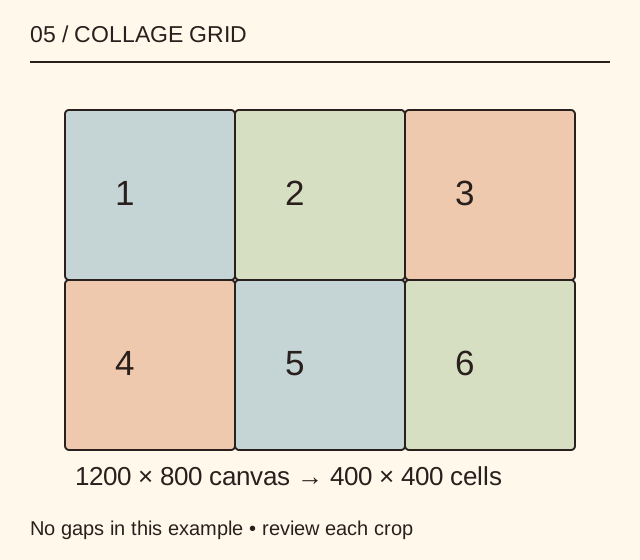
05 / COLLAGE GRID · 1 · 2 · 3 · 4 · 5 · 6 · 1200 × 800 canvas → 400 × 400 cells · No gaps in this example • review each crop
- Canvas
- Grid
- Cell without gaps
- Version record
Put it into practice
A fictional 1200 × 800 px canvas holds a three-column, two-row grid with no gaps. Each cell is 400 × 400 px. Adding borders or a title changes the usable image area and requires a recalculation. The diagram shows numbered placeholders, not a collage of an event that MichaelT photographed.
Illustrative example, not a reported client project or test.
Your take-away checklist
Build a photo collage without sacrificing the important crop
- □ Canvas: ____________________
- □ Grid: ____________________
- □ Cell without gaps: ____________________
- □ Version record: ____________________
Before you act
Ask the chosen printer about the required file specification. Pixel dimensions alone do not establish acceptable print quality or permission to publish a person’s image.
A completed example record
This is the illustrative case above. Download the blank version to record your own task.
- Canvas
- 1200 × 800 pxDestination agreed
- Grid
- 3 columns × 2 rowsSix cells
- Cell without gaps
- 400 × 400 pxCrop each source deliberately
- Version record
- Editable file + source listPermissions and credits retained
When to break the grid
If a landscape needs its full width or a portrait loses an important feature, use a different arrangement. Consistency is useful only when it supports the images and the reader’s task.
A final image check
Inspect both the whole composition and each cell. A small collage can conceal a blurred or wrong photograph. Compare filenames with the approved list and make a destination-specific proof before sharing or printing.
Sources & context
The earlier page, Free Online Shape Collage Maker, was published 2022-09-08 under the Maria Baldwin byline. This guide develops its subject into a new procedure and worked example by MichaelT.