A useful way through
- List the project you need to recover. Include the editable files, linked assets, exports and any permitted dependencies, plus the documentation needed to understand them. Identify sensitive material and who may access it. Do not place passwords or recovery secrets in an ordinary project handover.
- Choose and configure an appropriate backup route using its current documentation. Decide how much work you can afford to lose and how often the relevant files change. CISA recommends protected backups, including offline encrypted copies of critical data and regular recovery testing; the practical implementation depends on your environment.
- Run a controlled restore check into a separate, safe location. Do not overwrite the only working project to test recovery. Select a representative saved version, restore the required files and open the project with its permitted dependencies. Follow the backup product’s recovery instructions.
- Record what actually happened: backup version, restore location, files checked, whether the application opened them and any missing dependency. Resolve a failure and repeat the relevant check. A successful small test is evidence for that test, not proof of complete protection against every incident.
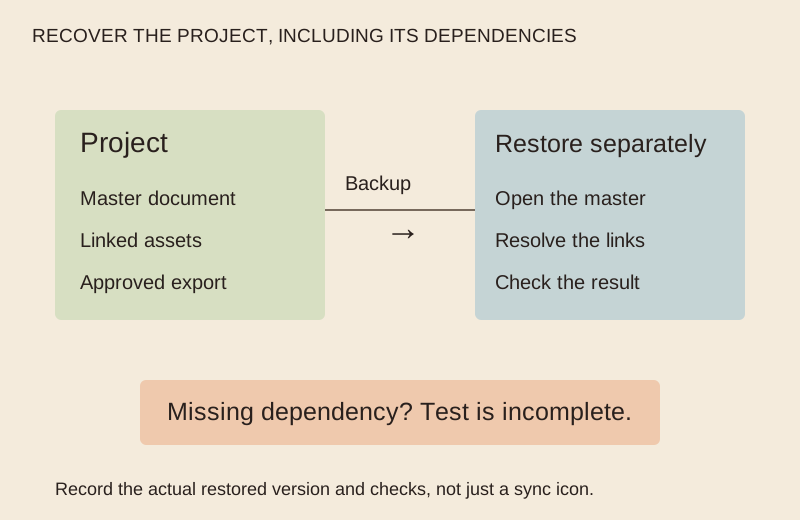
Read the map as text
RECOVER THE PROJECT, INCLUDING ITS DEPENDENCIES · Project · Master document · Linked assets · Approved export · Restore separately · Open the master · Resolve the links · Check the result · Backup · → · Missing dependency? Test is incomplete. · Record the actual restored version and checks, not just a sync icon.
- Project files and dependencies
- Protected backup route
- Separate restore location
- Opened result and recovery record
Put it into practice
An illustrative design project contains a master document, three linked images and an approved export. A restore check recovers the master but reveals one missing image link. The test is incomplete: record the missing dependency, correct the backup scope and try the relevant restore again. Do not label the backup “verified” merely because the master file appeared.
Illustrative example, not a reported client project or test.
Your take-away checklist
Back up a creative project, then prove you can restore it
- □ Project files and dependencies: ____________________
- □ Protected backup route: ____________________
- □ Separate restore location: ____________________
- □ Opened result and recovery record: ____________________
Before you act
For a suspected compromise, organisational or sensitive systems, follow the responsible security team’s incident process. This is a project-file planning exercise, not a full disaster-recovery design. Protect backups and recovery credentials under the actual system’s security requirements.
A recovery receipt
Project; backup tool and configured scope; backup version or timestamp; restore destination; files and dependencies selected; checks performed; outcome; unresolved issue; responsible person; next check. Use an actual timestamp only after a test occurs.
Keep version history and backup promises distinct
Read what the chosen service really retains, how deletion propagates and how restoration works. A synchronised folder can be useful, but its icon does not establish that the version and dependencies you need can be recovered.
Sources & context
The earlier What Are The Benefits Of A Backup? page was dated 2022-07-25. Its subject is developed here as a new procedure, with the original byline retained separately. This edition does not carry forward the page’s supplier recommendations or unsupported outcome claims.
Source: Internet Archive capture ↗
Define what would count as a restored project
A successful backup message does not establish that the whole project can be used again. List the files, metadata, software context and credentials that the responsible team must account for, without putting secrets in the worksheet. Use a separate permitted test location and a representative sample; do not restore over live work as a demonstration.
- Project boundary
- Fictional creative project plus its metadata
- Permitted test
- Separate authorised location
- Observable evidence
- Selected files open and reconcile with the manifest
- Unverified scope
- Full platform recovery not established by a file test
The example’s file check is useful but narrower than a complete Kubernetes or cloud recovery. The earlier source’s vendor claims and purported independent assessment are not repeated as current verification.
Earlier topic, 2021-04-19, Maria Baldwin: Protecting Your Kubernetes Ecosystem with Cloud-Native Data Protection ↗. New worked record: MichaelT, 23 October 2026.