
A useful way through
- Name the learning task and how the teacher will recognise the intended work. Check whether the actual app, content and device configuration support it. A tablet in the room does not establish a learning improvement or replace a considered lesson plan.
- With the responsible school staff, confirm accounts, permissions, accessibility, network needs and the approved device-management process. Use the organisation’s safeguarding and privacy procedures. Do not ask pupils to share personal accounts or collect unnecessary identifiers for the convenience of a worksheet.
- Prepare a representative device and try the activity through to saving or handing in the result. Check the actual app version and destination. Include an alternative activity if the equipment or connection is unavailable; a fallback should preserve the learning purpose.
- Use a device-and-accessory check-in record that fits school policy. Confirm that work is handed over and devices are returned through the approved process. Record missing accessories or unresolved issues with the responsible role rather than improvising resets or account changes.
Read the map as text
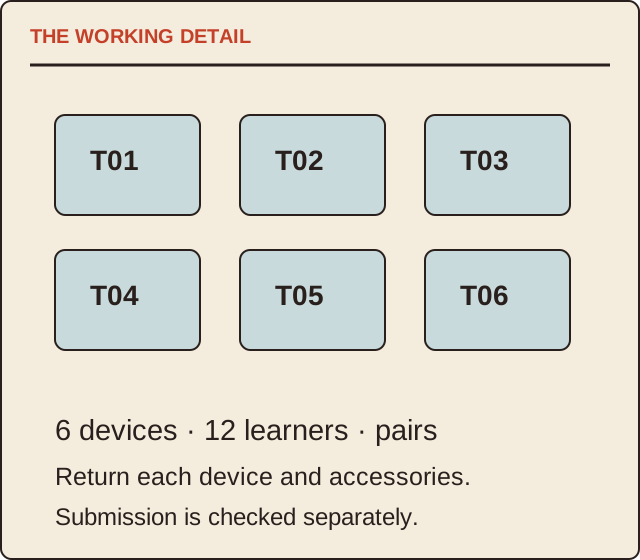
THE WORKING DETAIL · T01 · T02 · T03 · T04 · T05 · T06 · 6 devices · 12 learners · pairs · Return each device and accessories. · Submission is checked separately.
- Learning task
- Trial
- Allocation
- Return
Put it into practice
A fictional drawing lesson has six devices for 12 learners working in pairs. The teacher checks one complete drawing-to-submission path before the session and assigns device identifiers T01–T06. The return check counts six devices and their named accessories. This record does not claim that using tablets improved attainment.
Illustrative example, not a reported client project or test.
Your take-away checklist
Plan a shared classroom tablet session around the learning task
- □ Learning task: ____________________
- □ Trial: ____________________
- □ Allocation: ____________________
- □ Return: ____________________
Before you act
School staff must determine safeguarding, accessibility, accounts and device-management requirements. No software or classroom configuration is certified here.
A worked record
Use the example to see the decisions, then download a blank record for your own task.
- Learning task
- Create and submit a labelled drawingTeacher defines the evidence
- Trial
- One complete submission pathApproved configuration
- Allocation
- 6 devices / 12 learnersPairs with item IDs
- Return
- Devices and accessoriesFollow school policy
Avoid a technology-first plan
Start with what the learner will do and what the teacher needs to see. If an app adds friction without helping that task, reconsider it. Device dimensions, popularity and a long app catalogue are not a lesson design.
A short end-of-session record
Use device ID, accessories issued, work destination, returned items and unresolved issue. Keep pupil information within the school’s approved system. This public guide offers a blank planning method and collects no classroom data.
Sources & context
The earlier topic was published 2021-08-18 under the Maria Baldwin byline. The present procedure, examples and diagrams are new work by MichaelT; they do not attribute a new test or professional assessment to the earlier author.