A useful way through
- Agree which files the recipient needs, how they will open them and whether removable media is permitted by both organisations. Use an approved transfer method for sensitive information. Do not plug in an unknown drive or use portable software to bypass an organisation’s controls.
- Prepare a clean handover folder with final filenames and a simple manifest. Record file purpose, version and required application or format. Keep original working material separate from the deliverable so the recipient can identify the approved output.
- Use the appropriate authorised device and security process to copy and verify the files. For an ordinary non-sensitive handover, compare the file list and, where the approved workflow supports it, checksums. A matching name alone does not prove that two files contain the same bytes.
- Have the recipient confirm that the intended files can be opened in their environment. Record what was received and any missing dependency. Keep a separate approved backup; a single transport copy is not a complete backup strategy.
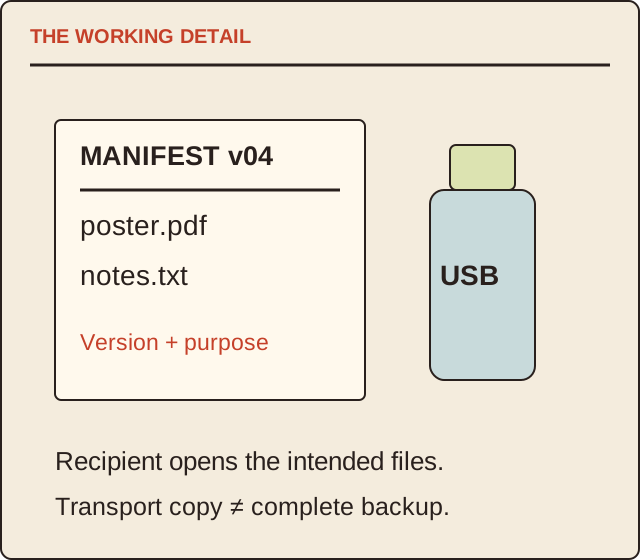
Read the map as text
THE WORKING DETAIL · MANIFEST v04 · poster.pdf · notes.txt · Version + purpose · USB · Recipient opens the intended files. · Transport copy ≠ complete backup.
- Permission
- Manifest
- Verification
- Receipt
Put it into practice
A fictional handover contains poster.pdf and notes.txt, both revision 04. The manifest lists those two files. The recipient can open the poster but reports a missing linked resource in another supplied project file. That project is not marked complete merely because its filename appears on the drive. The team resolves the dependency and issues a new identified revision.
Illustrative example, not a reported client project or test.
Your take-away checklist
Hand over files on a USB drive with a manifest and receipt
- □ Permission: ____________________
- □ Manifest: ____________________
- □ Verification: ____________________
- □ Receipt: ____________________
Before you act
Follow the relevant organisation’s media and security policies. This page does not prescribe encryption, forensic handling or bypass procedures.
A worked record
Use the example to see the decisions, then download a blank record for your own task.
- Permission
- Removable media allowedUse approved devices
- Manifest
- Filename, version, purposeIdentify the deliverable
- Verification
- Actual copied contentUse authorised checks
- Receipt
- Recipient opens the filesLog missing dependencies
A small manifest example
Use filename, version, format, purpose and verification reference. Add a brief read-me naming the intended output and contact. Keep credentials, unnecessary personal data and internal drafts out of the package.
Why this is separate from backup
The transfer succeeds when the recipient receives usable agreed files. Backup succeeds when you can restore the required work after a loss. One drive can be part of a workflow, but transport and recovery have different acceptance checks.
Sources & context
The earlier topic was published 2021-07-06 under the Maria Baldwin byline. The present procedure, examples and diagrams are new work by MichaelT; they do not attribute a new test or professional assessment to the earlier author.