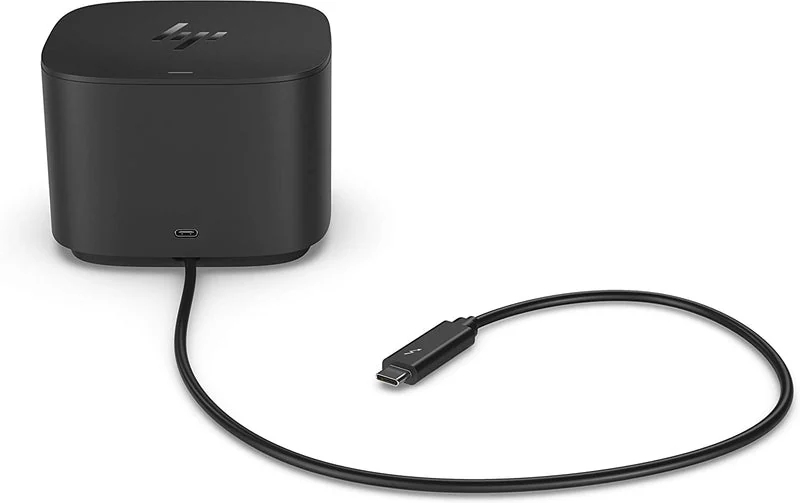

A useful way through
- Identify the exact laptop model and configuration, operating system, dock model, supplied power adapter and cable. List what you need: displays, charging, network and peripherals. A USB-C connector shape does not establish the capabilities of every port behind it.
- Use the actual manufacturer documentation to match each requested function. Display output, supported display combinations, host charging and peripheral data can have different requirements. Record the relevant specification for the whole proposed combination instead of accepting “universal” as the completed check.
- Make an acceptance row for each function. For a display, name the target resolution and refresh rate; for charging, record the stated host support rather than inferring it from a dock’s adapter label. Ask the supplier about unresolved combinations before placing the order.
- When the kit arrives, test the named configuration using the manufacturer’s setup instructions. Check normal connection, a reconnect and the agreed everyday tasks. Keep observed results separate from documented capability and record any driver or firmware version relevant to the test.
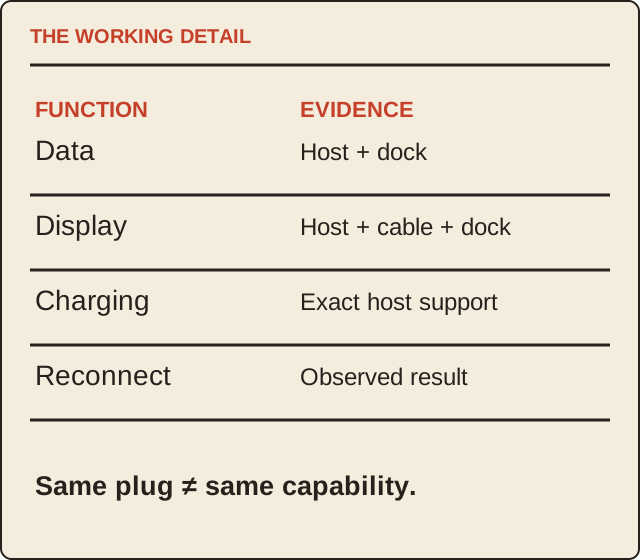
Read the map as text
THE WORKING DETAIL · FUNCTION · EVIDENCE · Data · Host + dock · Display · Host + cable + dock · Charging · Exact host support · Reconnect · Observed result · Same plug ≠ same capability.
- Host
- Display
- Charging
- Acceptance
Put it into practice
In a fictional desk plan, a laptop’s USB-C port transfers data but its documentation does not establish the required video mode. A dock’s HDMI socket therefore does not close the display requirement. The display row remains unresolved while keyboard data may be supported. The buyer asks for an explicitly compatible solution instead of treating one working peripheral as proof that everything works.
Illustrative example, not a reported client project or test.
Your take-away checklist
Build a laptop dock compatibility matrix before buying
- □ Host: ____________________
- □ Display: ____________________
- □ Charging: ____________________
- □ Acceptance: ____________________
Before you act
No particular dock is certified or tested by MichaelT here. Follow the exact product manuals and use the manufacturer’s support for compatibility and power questions.
A worked record
Use the example to see the decisions, then download a blank record for your own task.
- Host
- Exact model / configurationRead the port specification
- Display
- Target mode + signal routeCheck host, dock and cable
- Charging
- Documented host supportAdapter watts alone do not decide
- Acceptance
- Connect, reconnect, actual taskRecord observed result
Keep a useful matrix
Use one row per function and columns for host, dock, cable, device, evidence and observed result. Write “unknown” where documentation is incomplete. This makes a supplier’s response testable and avoids a single green tick hiding an unsupported display configuration.
Before replacing a cable or driver
Compare the proposed change with the exact manufacturer instructions and compatibility information. Keep a record of the original configuration. A software update should not be presented as adding a hardware video feature that the port does not support.
Sources & context
The earlier topic was published 2022-08-17 under the Maria Baldwin byline. The present procedure, examples and diagrams are new work by MichaelT; they do not attribute a new test or professional assessment to the earlier author.
Source information checked 17 October 2026; use the actual current requirements for your situation.