A useful way through
- Name the form owner, intended respondents and purpose. Ask which information is genuinely necessary and which organisation policies apply. The earlier article’s idea of a generic Google approval for every form is not a useful model for the current publishing and access workflow.
- Review the current Google Forms settings for the actual form. Google documents publishing before responders can access it and allows selection of responder access. Keep the responder link separate from an editing or collaboration link; recipients should receive only the access they need.
- Check settings that change the respondent experience, including a one-response limit, email collection and response-summary visibility. Google notes that a one-response limit requires sign-in and that response summaries can expose full text answers to responders when enabled. Use safe fictional answers for the trial.
- Test with an authorised account representative of the intended audience, then check submission and the resulting access. Record the outcome and organisational approval separately from publishing. Recheck when settings or audience change rather than assuming an old successful test covers a new permission model.
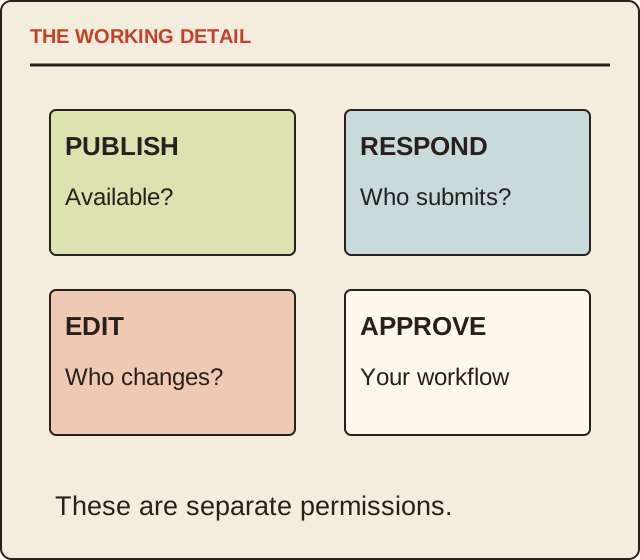
Read the map as text
THE WORKING DETAIL · PUBLISH · Available? · RESPOND · Who submits? · EDIT · Who changes? · APPROVE · Your workflow · These are separate permissions.
- Owner
- Audience
- Settings
- Trial
Put it into practice
A fictional public workshop form has “limit to one response” enabled. The owner discovers that a trial respondent must sign in, which does not match the intended experience. They review the setting and the purpose before publication. Making every field required would not solve that access problem and could create unnecessary data collection.
Illustrative example, not a reported client project or test.
Your take-away checklist
Review a Google Form’s access before sharing it
- □ Owner: ____________________
- □ Audience: ____________________
- □ Settings: ____________________
- □ Trial: ____________________
Before you act
Google interfaces and account policies can vary. Follow the current product documentation and your organisation’s privacy and access requirements.
A worked record
Use the example to see the decisions, then download a blank record for your own task.
- Owner
- Named responsible accountOrganisational review
- Audience
- Intended responder groupUse responder access
- Settings
- Sign-in and summary visibilityCheck actual behaviour
- Trial
- Safe fictional submissionRecord outcome and version
A short pre-share test
Open the intended responder route, check who can enter, submit fictional data and inspect the confirmation. Review who can see responses or summaries. Keep collaborator permissions in a separate check so “anyone can respond” never becomes “anyone can edit”.
When an add-on says approval
An approval add-on may implement your organisation’s workflow; that is separate from Google publishing the form and from responder permissions. Identify the actual add-on, data access and approver before relying on it. This guide installs nothing and changes no account settings.
Sources & context
The earlier topic was published 2022-09-12 under the Maria Baldwin byline. The present procedure, examples and diagrams are new work by MichaelT; they do not attribute a new test or professional assessment to the earlier author.
Source information checked 17 October 2026; use the actual current requirements for your situation.