A useful way through
- Describe the event, audience and intended image or clip. Ask the supplier and venue about the complete setup, supervised operation, access and space requirements. A rotating camera rig and a still-photo booth should not be treated as interchangeable equipment.
- Walk through the guest experience from invitation to finished file. Ask how participation is explained, what appears on the screen and how a guest can decline. Check arrangements for children or other participants who require a different permission process with the responsible organiser.
- Clarify delivery and sharing: who can access the gallery, whether images are public, how long links last and whether a supplier may use them for promotion. Keep these answers separate from permission to take a picture. Ask how deletion requests and unintended captures are handled.
- Review a supplier-provided sample and a proposed day sheet before booking. Confirm the file format, branding proof, contact, collection and relevant terms. Test any delivery link using a safe sample, not a guest’s private image, and record what was actually checked.
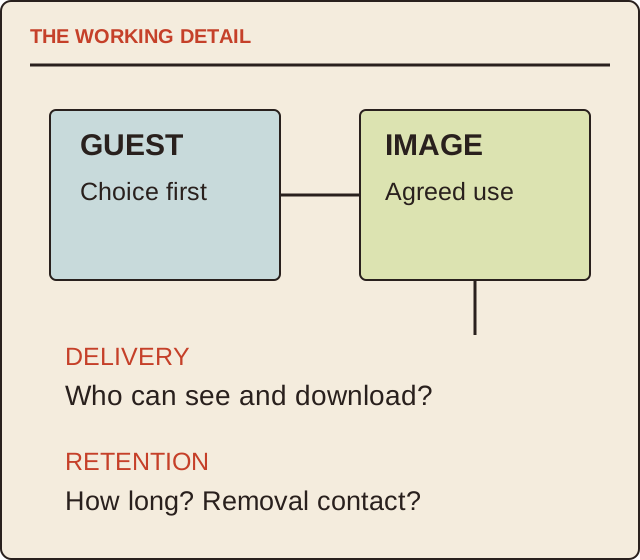
Read the map as text
THE WORKING DETAIL · GUEST · Choice first · IMAGE · Agreed use · DELIVERY · Who can see and download? · RETENTION · How long? Removal contact?
- Participate
- Create
- Receive
- Retain
Put it into practice
In a fictional proposal, guests receive individual links but the supplier’s default also creates a public gallery. The organiser resolves that mismatch before the event and confirms the agreed setting in writing. A pleasant sample video does not answer who will be able to see a guest’s finished clip.
Illustrative example, not a reported client project or test.
Your take-away checklist
Ask a photo-booth supplier about the guest’s image journey
- □ Participate: ____________________
- □ Create: ____________________
- □ Receive: ____________________
- □ Retain: ____________________
Before you act
This is a commissioning checklist, not legal advice or an approval of a particular booth or permission arrangement.
A worked record
Use the example to see the decisions, then download a blank record for your own task.
- Participate
- Clear invitation and choiceExplain the activity
- Create
- Supplier-supervised setupVenue reviews requirements
- Receive
- Agreed delivery methodTest safe sample link
- Retain
- Gallery access and durationConfirm deletion contact
Five questions worth asking
Is the gallery public? Who can download? When does access expire? Can the supplier use clips in advertising? How does a guest request removal? Record the actual answers and share the relevant information before participation.
Keep physical approval separate
Venue access, equipment footprint and operation need the actual supplier and venue. Privacy choices do not establish rig safety, and a rig demonstration does not establish appropriate image permissions. Both belong in the booking record.
Sources & context
The earlier topic was published 2022-05-16 under the Maria Baldwin byline. The present procedure, examples and diagrams are new work by MichaelT; they do not attribute a new test or professional assessment to the earlier author.