A useful way through
- List where the backdrop will be seen: stage, registration desk, video call or photo area. Record viewing distance and the available wall or support size.
- Sketch a safe area around the edges and a clear area behind heads. Put the event name and primary identifier inside the most visible central area.
- Print a scaled mockup and photograph it from the intended angle. Reduce it on screen to the size of a typical event photograph and check what remains readable.
- Send the supplier an export specification: final dimensions, artwork format, finishing, installation responsibility and proof approval. Ask the supplier to confirm colour and material requirements.
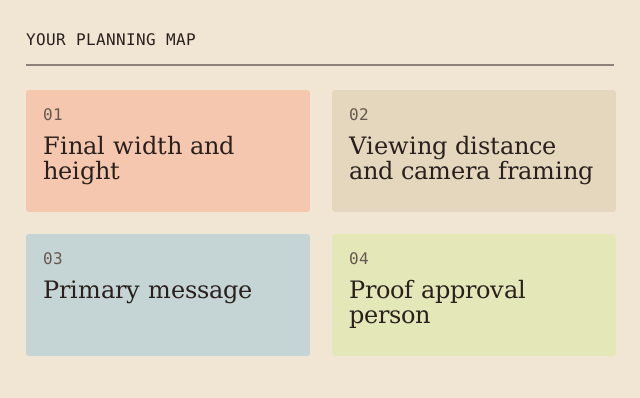
Read the map as text
YOUR PLANNING MAP · 01 · Final width and · height · 02 · Viewing distance · and camera framing · 03 · Primary message · 04 · Proof approval · person
- Final width and height
- Viewing distance and camera framing
- Primary message
- Proof approval person
Put it into practice
A two-person interview needs visual space behind two heads. A dense sponsor list in that zone disappears in every photograph. Move secondary information to a separate sign, rather than shrinking every logo.
Illustrative example, not a reported client project or test.
Your take-away checklist
Build a readable event backdrop
- □ Final width and height: ____________________
- □ Viewing distance and camera framing: ____________________
- □ Primary message: ____________________
- □ Proof approval person: ____________________
- □ Installation and removal responsibility: ____________________
Before you act
Leave structural fixing, fire performance and venue approval to the supplier and venue. A graphic mockup is not an installation design.
Proof the message in its real display state
A banner, a backdrop and a feather flag do not present the same shape. Ask the supplier for the exact finished dimensions, visible area, seams, hardware and approved artwork template. Mark the message that must remain readable when the display is in its intended position. Keep installation and weather suitability with the supplier and venue; the earlier claim that feather flags remain readable in strong wind is not a performance specification.
For an illustrative event sign, put the event name, location cue and next action in a deliberate order. Make a full-size paper or screen-equivalent proof appropriate to the supplier’s workflow, then ask someone at the intended approach to identify those three items. Record the actual viewing conditions and any prompt. A successful indoor proof does not certify an outdoor installation or demonstrate a sales increase.
- Display
- Supplier’s actual templateVisible area and hardware
- Message
- Name → location → next actionThree intended reading tasks
- Proof
- Recorded approach and conditionsCheck the actual display state
- Approval
- Artwork + installation responsibilitiesNo invented wind rating
Sources for this addition
- How Does Custom Banners Promote Brand Awareness? ↗ — 2021-01-23, Maria Baldwin. The present addition is by MichaelT.
- Information About Feather Flags For Special Events ↗ — 2022-04-27, Maria Baldwin. The present addition is by MichaelT.
Sources & context
This guide develops the subject of Things To Know About Scene Backdrop, published 2021-09-17. The original capture is linked below. The new checklist is a planning procedure; product specifications, contracts and local requirements must be checked for the actual situation.
The starting point: Things To Know About Scene Backdrop
The page was credited to Maria Baldwin and dated 2021-09-17. The present procedure and example are by MichaelT.
A photo's background can be as important as its subject. The magic happens when the background and subject of an image are harmonious.
Approve the same file that will be printed
A proof can have the right dimensions and still be the wrong version. This additional MichaelT exercise concerns file identity and approval. It is not a claim about Maria Baldwin’s or Michael Thurber’s actual projects, nor structural installation advice.
- Give the production file an unambiguous name and version. Record the dimensions and the exact proof that the approver saw.
- After any change, list the changed content. Do not carry approval forward merely because the filename looks similar or the supplier already has another copy.
- Ask the named approver to confirm the same version that will be sent to print. Keep that approval with the final file, then send a single clearly identified production version through the agreed channel.
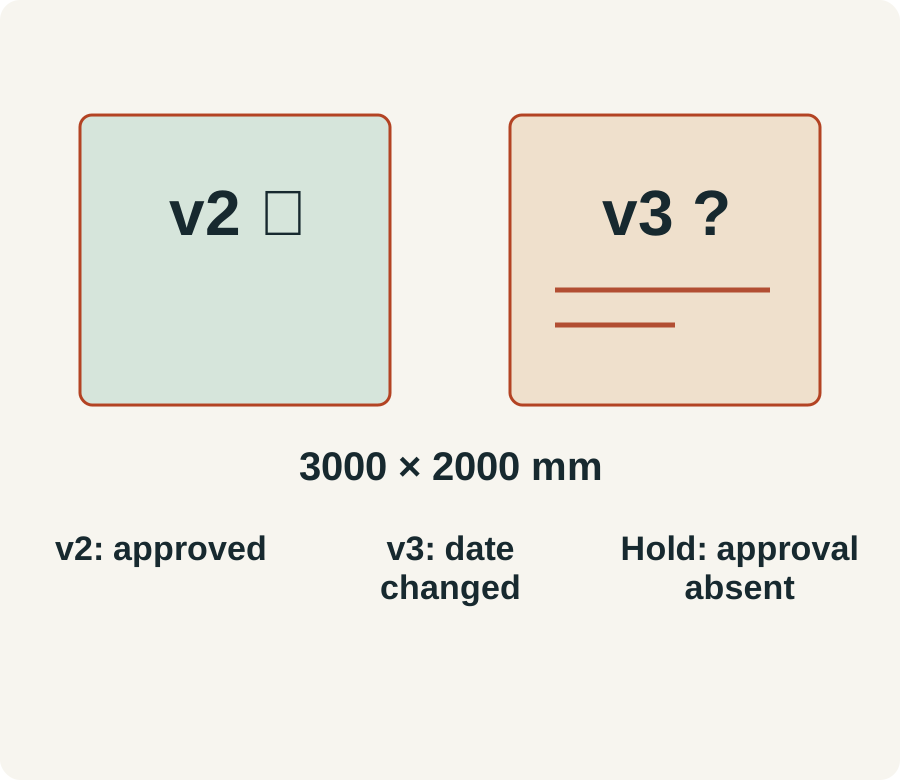
Worked fictional handoff: backdrop-v2.pdf, 3000 × 2000 mm, was approved for wording. Backdrop-v3.pdf has the event date changed. Dimensions remain identical, but v2’s approval does not establish that the new date was checked. Decision: hold v3, request an explicit date check from the event lead, then record the approved version before release. This does not certify print colour, fire performance, fixings or venue suitability.
Handoff record: production filename/version __; dimensions __; approved proof/version __; changes since approval __; approver __; approval evidence __; release decision __. Acceptance means the record refers to the exact released version and unresolved approvals remain visible. It does not mean that a generic “looks good” message approves a later file.
Source: michaelt.org.