Choose one intended public address
Record the article identifier, menu context and intended public URL in the site’s current Joomla setup. Read the current documentation for the installed version before proposing a configuration change. A page alias, menu route and server rewrite can interact; do not toggle site-wide settings merely to make one example look tidy. Keep any planned change separate from this read-only publication check.
Visit the address as a reader
Open the intended link in a browser and record the final URL, title, visible heading and whether the expected full article appears. Confirm the response with an HTTP request when you have the technical means. A content-management preview or a file on disk is not proof of a public page. Record login requirements, redirects or errors rather than describing them as successful publication.
Check the declared identity
Inspect the page’s canonical URL and verify that it refers to the intended accessible version. Google describes canonicalisation as selecting representative URLs; a declaration does not guarantee the search engine will select it. Keep language versions and intentional redirects in their actual architecture. Do not point every article to the home page or assume a familiar-looking URL is a duplicate without checking its content.
Check how people discover it
Follow the actual category or menu link and, where appropriate, find the intended canonical URL in the sitemap. Check for a second unintended route that exposes a different version of the same content. Record the discrepancy for a scoped correction and retest after it. Discovery and canonical consistency support a coherent publication; neither guarantees indexing, traffic or a search position.
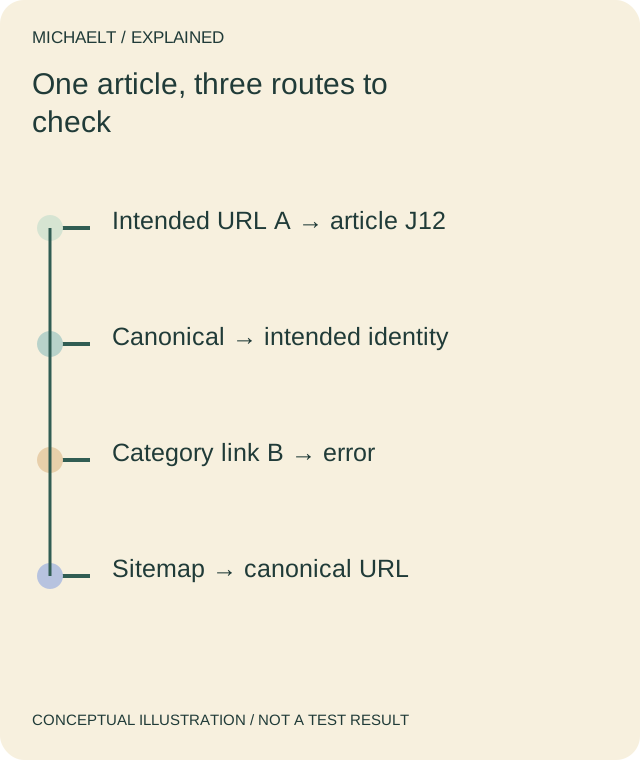
Read the drawing as text
Check the public page, its declared identity and discovery links separately. A reachable article can still have a broken category link.
Work through an example
A fictional article J12 opens at route A, but its category link still sends readers to route B, which returns an error. The record marks the article reachable and the category link failed. After the authorised link correction, the reviewer visits it again and records the actual result rather than declaring the whole site repaired from one saved file.
Illustrative example; figures, people and organisations in the worked record are fictional.
The example record
Public route
- Expected evidence
- Full intended article
- Example state
- A opens
Metadata
- Expected evidence
- Title / H1 / canonical
- Example state
- Compare with A
Category link
- Expected evidence
- Reader reaches article
- Example state
- B failed
Retest
- Expected evidence
- Actual corrected route
- Example state
- Required after change
Download blank worksheet (.csv) ↗Download worked example (.csv) ↗
Keep your own record
Use the result within its scope
Use a current backup and preview before actual configuration or content changes. This page describes a verification procedure, not an automatic rewrite of a live Joomla installation.
Reference sources
Earlier articles on this subject
- Read Joomla SEO Tips ↗ — 2021-12-11, Maria Baldwin.