Identify the exact laptop
Use the manufacturer’s model-identification instructions and the actual device documentation. Record the charging method and the recommended adapter and cable references for that model. A connector shape or brand logo cannot establish compatibility. This page uses Apple’s Mac guidance as a named example, not a universal rule for every laptop, tool battery or removable rechargeable cell.
Separate mains input and charging output
Read the actual adapter label with its units and the device maker’s requirements. Mains input describes the supply into the adapter; the charging output and supported protocol describe a different side of the system. Do not choose an adapter from one voltage number or assume a mechanical connector can convert power safely. Obtain qualified help for damaged, unclear or non-standard equipment.
Check protocol and cable as well
Apple states that Macs using USB-C charging can use a USB Power Delivery adapter or display, with recommendations for an appropriate wattage and compliant products. Keep the exact model’s guidance and the cable’s requirements attached to the comparison. The mere presence of USB-C does not show that every port, cable, device and adapter combination supplies the intended charge.
Confirm through the normal supported route
Ask the maker about unresolved compatibility and follow its normal connection and information checks. Do not modify connectors, open an adapter, bypass a protection or apply tool-battery advice to a laptop. Keep any supported displayed power information distinct from a measurement of charging speed or long-term battery condition. No hardware is tested or charging time promised by this page.
Read the drawing as text
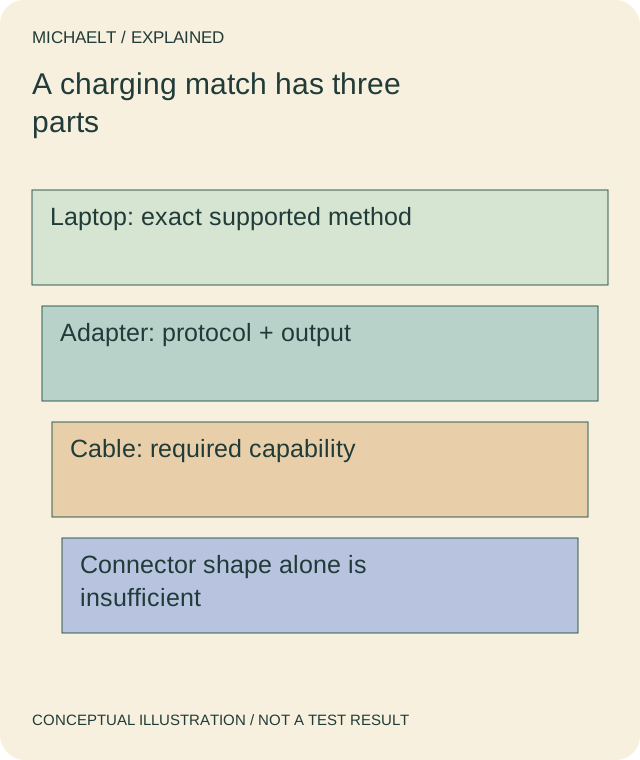
Laptop, adapter and cable requirements must match. A printed wattage or shared connector shape does not complete the comparison.
Work through an example
A fictional USB-C-charging laptop has a maker-recommended adapter requirement. Candidate A names USB PD and an appropriate cable reference; candidate B advertises a wattage but omits protocol and cable information. B remains unconfirmed. The comparison does not infer that a higher printed wattage forces that power into the laptop or that either product has been safety tested here.
Illustrative example; figures, people and organisations in the worked record are fictional.
The example record
Laptop
- Evidence needed
- Exact model
- Question
- Supported charging method
Adapter
- Evidence needed
- Output and protocol
- Question
- Not mains input alone
Cable
- Evidence needed
- Maker’s requirements
- Question
- Not connector shape alone
Result
- Evidence needed
- Supported information check
- Question
- No speed or battery-health test
Download blank worksheet (.csv) ↗Download worked example (.csv) ↗
Keep your own record
Use the result within its scope
Follow current manufacturer instructions and applicable safety requirements. This is a compatibility enquiry, not an electrical repair or a certification of a third-party charger.
Reference sources
Earlier articles on this subject
- Things To Consider When Buying Battery Charger ↗ — 2021-06-02, Maria Baldwin.