Confirm the appointment through the provider
Retain the date, time zone, provider identity and verified joining instructions. US HHS guidance advises checking visit details and costs with the provider. Keep the actual service and individual arrangements separate from a general article promising help anywhere. Confirm any location, accessibility, interpreter or support-person questions with the provider through its normal route.
Prepare the device without oversharing
Use the provider’s supported test or instructions for the actual device and connection. Choose a place where you can speak appropriately and consider who can hear or see the call. Ask about captioning or other assistance when needed. Do not post a joining link, patient portal screen, health document or room photograph publicly to prove that you are ready.
Agree the interruption route
Ask how to contact the office if joining or the connection fails and what the provider wants you to do. Keep that route accessible outside the video window. A technical problem does not establish that an appointment has been cancelled, that a clinician can continue by another channel or that a refund is owed. Follow the actual provider’s arrangements rather than inventing a universal fallback.
Keep the clinical question with the clinician
Prepare a concise list of the matters you want to discuss and use the provider’s secure route for any requested information. This site does not receive your health data or book a consultation. Telehealth is not appropriate for every situation; use the appropriate urgent-care route for urgent needs rather than waiting for a video test or worksheet to finish.
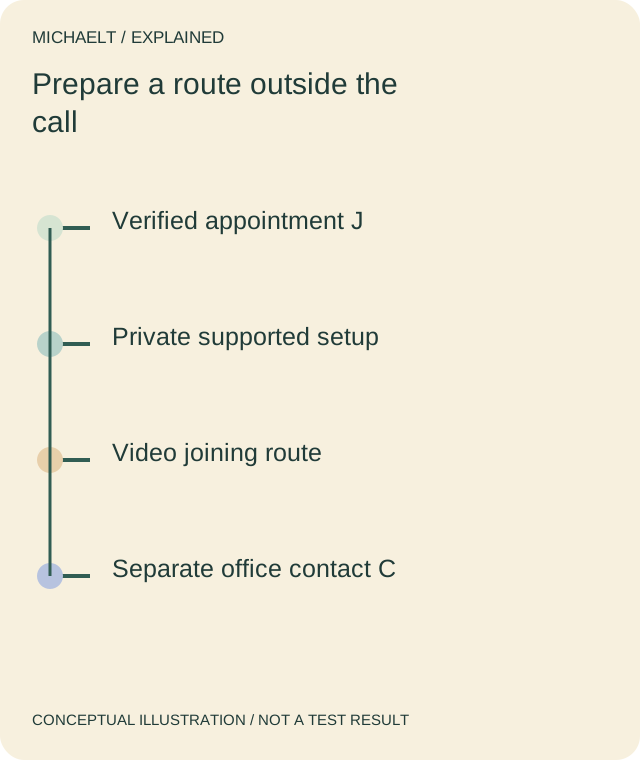
Read the drawing as text
The appointment, privacy setup and joining route need confirmation. A separate provider contact remains available if the video route fails.
Work through an example
A fictional appointment has joining instructions J and an office contact route C. The person tests the supported setup and records an unanswered cost question for the provider. If joining fails, C is available separately. The example makes no claim of a completed consultation, clinical outcome or guaranteed replacement appointment.
Illustrative example; figures, people and organisations in the worked record are fictional.
The example record
Appointment
- Preparation
- Verified J / time zone
- Question
- Actual provider details
Access
- Preparation
- Supported setup and assistance
- Question
- Private suitable place
Fallback
- Preparation
- Office route C
- Question
- Provider’s instructions
Cost/clinical scope
- Preparation
- Questions prepared
- Question
- No outcome or refund inferred
Download blank worksheet (.csv) ↗Download worked example (.csv) ↗
Keep your own record
Use the result within its scope
Follow the actual provider’s current instructions and appropriate urgent-care guidance. This is appointment preparation, not diagnosis, treatment or a guarantee that a video service can meet every need.
Reference sources
Earlier articles on this subject
- Online Therapy: The Quick Path To A Better Life ↗ — 2022-06-02, Maria Baldwin.
- Effective Therapy – Choosing The Right Psychotherapist For You ↗ — 2022-04-19, Maria Baldwin.
- Everything You Need To Know About Counseling? ↗ — 2021-05-20, Maria Baldwin.