Name the task and data category
Write what you want the app to do and which data category that task requires. Apple’s Health privacy explanation distinguishes app access and sharing arrangements. A broad interest in fitness does not by itself explain why an app needs every available category. Use fictional identifiers in a public record; do not paste medical details, account credentials or an actual export into this website.
Separate reading and writing
Record which app is asking to read which category and which category it can write. Those permissions have different effects. Check the current operating-system settings and the app’s own explanation rather than inferring access from an icon. This guide does not change any device setting for you or assert that a particular app is trustworthy.
Check recipients and other permissions
Read the actual privacy policy and sharing explanation for recipients, use and relevant retention questions. Keep device permissions such as location separate from health-data categories. A clinic-sharing arrangement, family sharing and a third-party app are not the same route. Ask about a permission that is broader than the intended task and leave the answer unresolved if the policy is unclear.
Treat copies and revocation separately
Review the actual platform’s current controls when changing access. A change to future access does not by itself answer what happened to a previously downloaded file, independent app copy or onward disclosure. Ask the relevant provider about those copies and appropriate deletion or retention processes. Keep an export private and use a verified secure route when sharing it for a genuine care purpose.
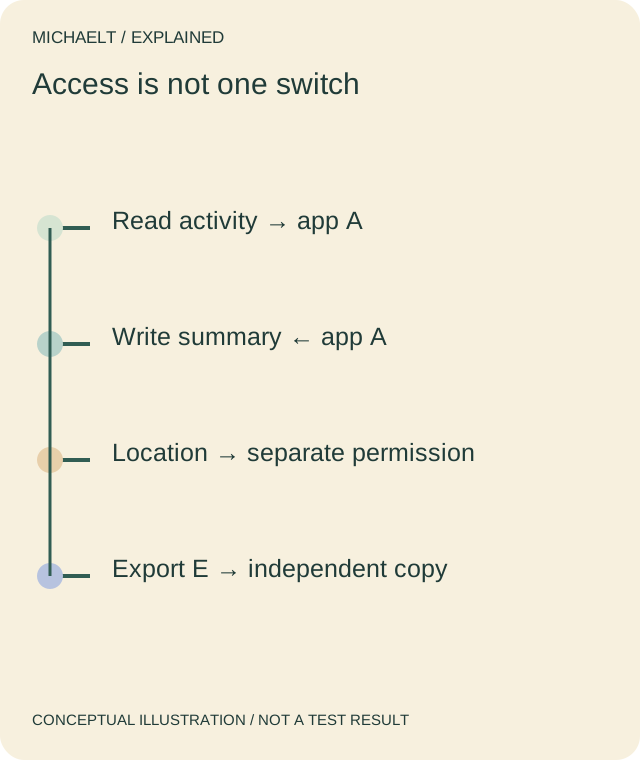
Read the drawing as text
Read, write, location and an exported copy have different scopes. A future-access change does not describe every existing copy.
Work through an example
A fictional app A asks to read activity and write a summary, while requesting location through a separate device permission. The user records three different questions instead of one allow-everything decision. A previously exported file E is listed separately; changing A’s future access is not described as deleting E.
Illustrative example; figures, people and organisations in the worked record are fictional.
The example record
Read
- Example
- Activity category
- Question
- Required for stated task?
Write
- Example
- Summary category
- Question
- What can change?
Location
- Example
- Separate device permission
- Question
- Why needed?
Export E
- Example
- Independent existing file
- Question
- Secure storage and copy lifecycle
Download blank worksheet (.csv) ↗Download worked example (.csv) ↗
Keep your own record
Use the result within its scope
Use current platform controls and the actual provider’s policy. This is a permission-review record, not a privacy certification or a medical interpretation of the data.
Reference sources
Earlier articles on this subject
- A Few Interesting Fitness Tracking Apps: Must Have for Tablet/iPad Users ↗ — 2021-02-04, Maria Baldwin.
- The Top Upcoming New Fashion Technological Trends ↗ — 2022-07-26, Maria Baldwin.